
As part of the Smarter Drafter Pro Matter Record solution, Custom Data Sources allow you to bridge the gap between your firm’s external systems (such as your Practice Management System) and your document automation workflows.
Why use Custom Data Sources?
By connecting a custom data source, you eliminate the need for Fillers to manually re-type client or matter information that already exists elsewhere. Instead of starting from scratch, Fillers can search for a matter within the form and automatically pull relevant data (like Client Name, Matter Number, or Address) directly into the form fields.
Integrating a custom data source requires access to Data-Driven Automation to retrieve API keys in Smarter Drafter Pro. If you do not have a plan with Data-Driven Automation, please speak to your Smarter Drafter or Technology Partner representative.
Setup a Data Source
1. In Smarter Drafter Pro, navigate to Integrations page and Custom Data Sources tab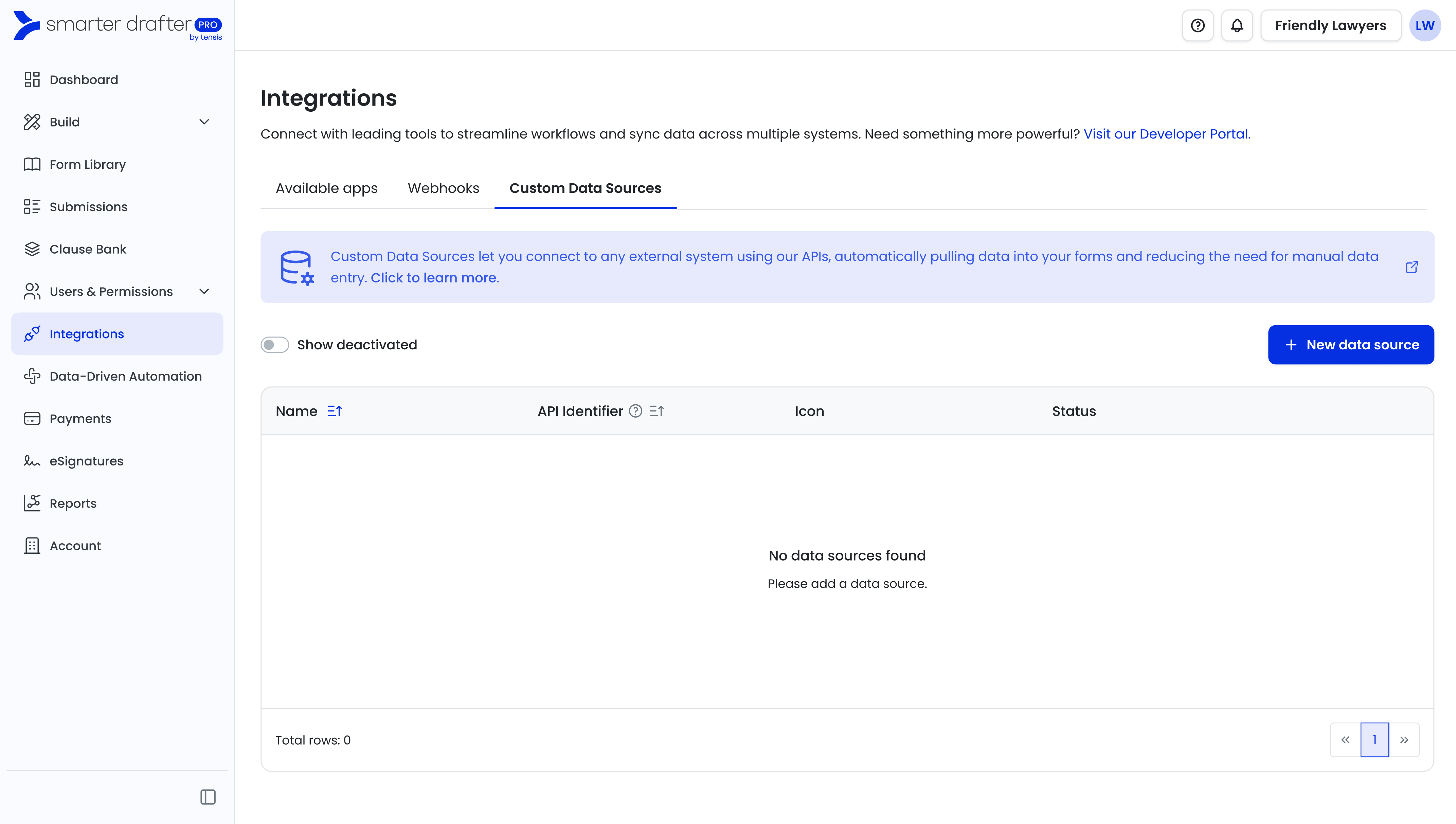
2. Click on 'New data source'
3. Enter a Name, API identifier and upload a logo file.
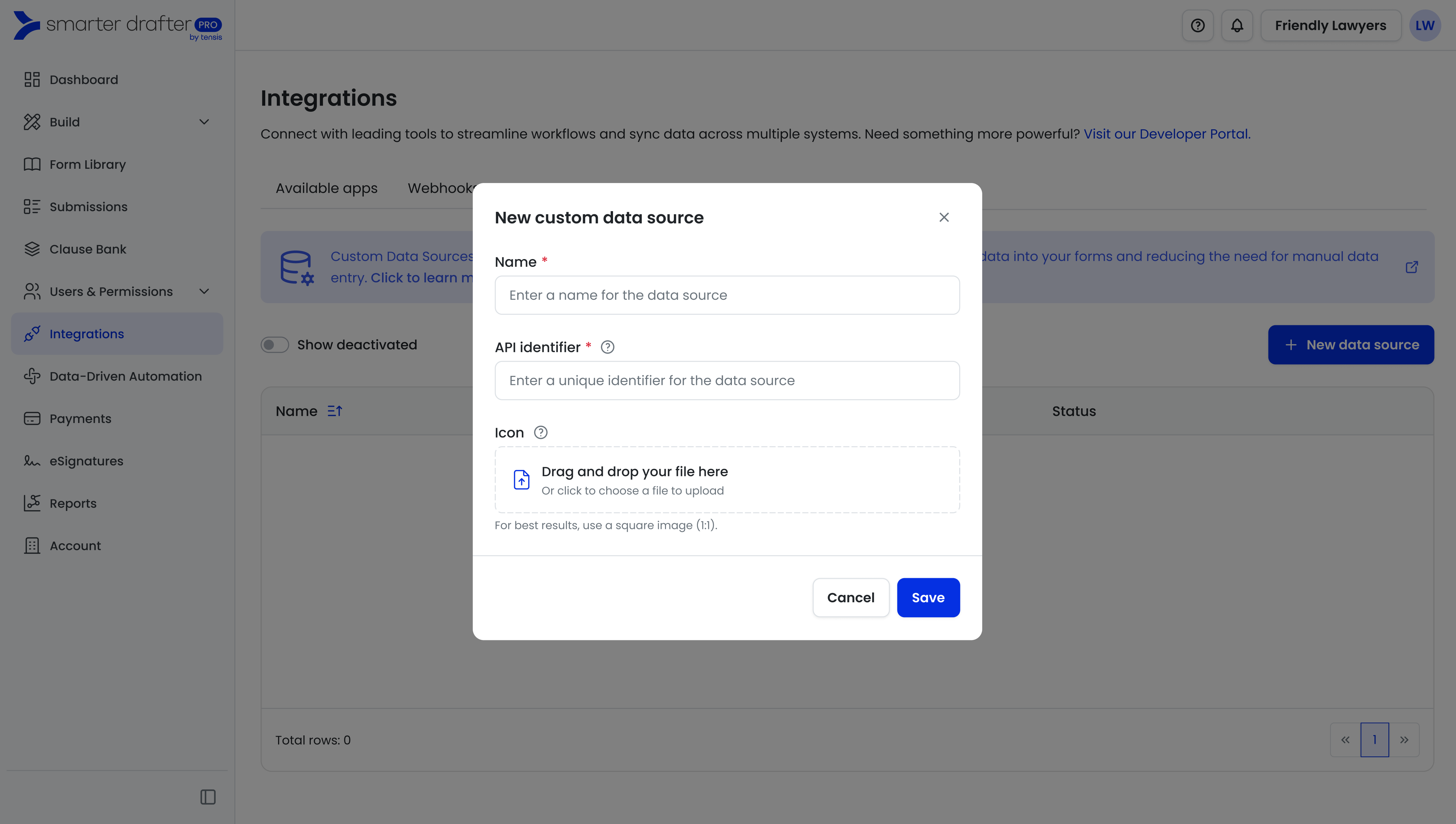
Name will be the label that appears for end users, API identifier will be used by the API to reference the data source.
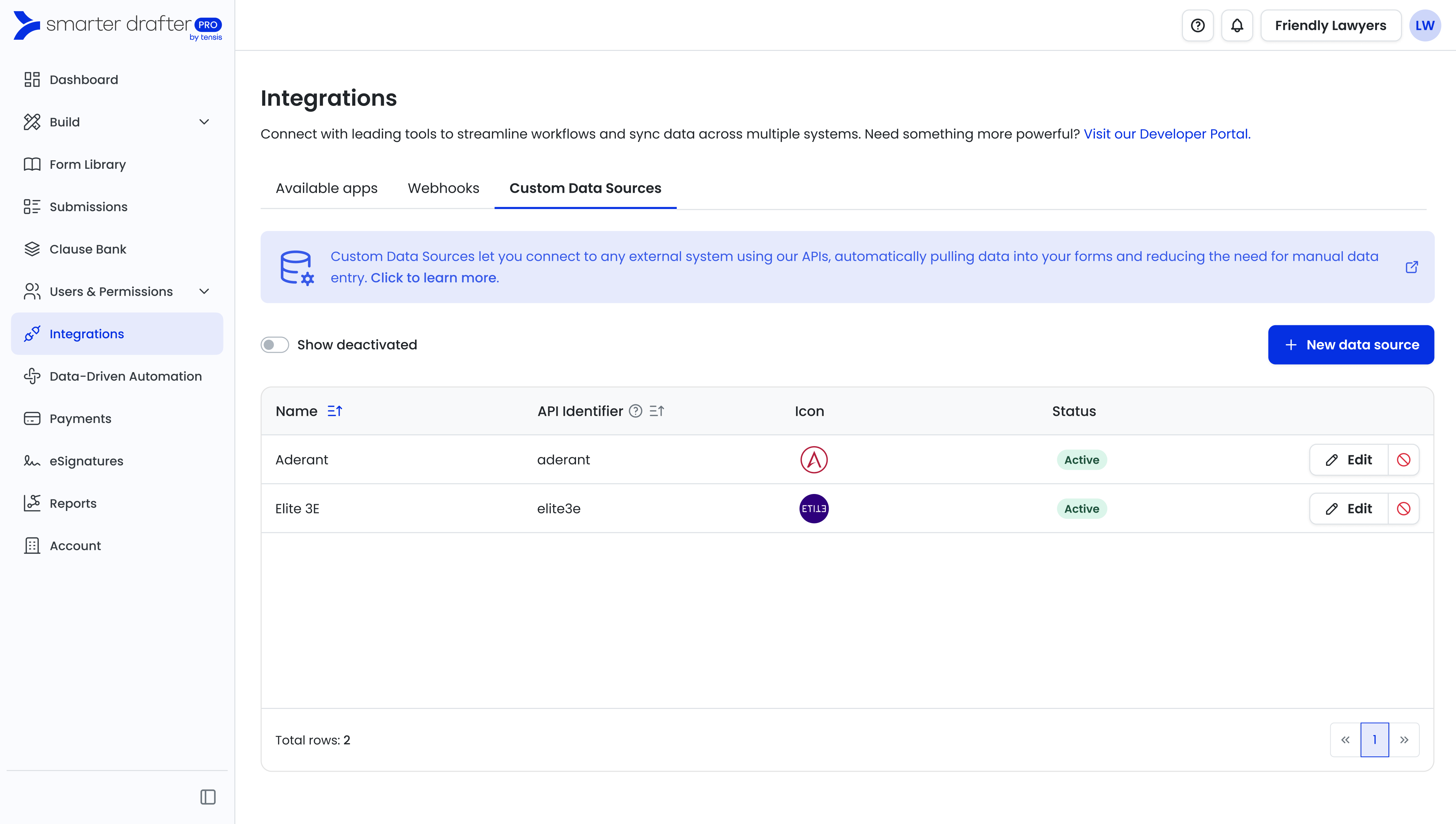
Your custom data source is now ready to be used.
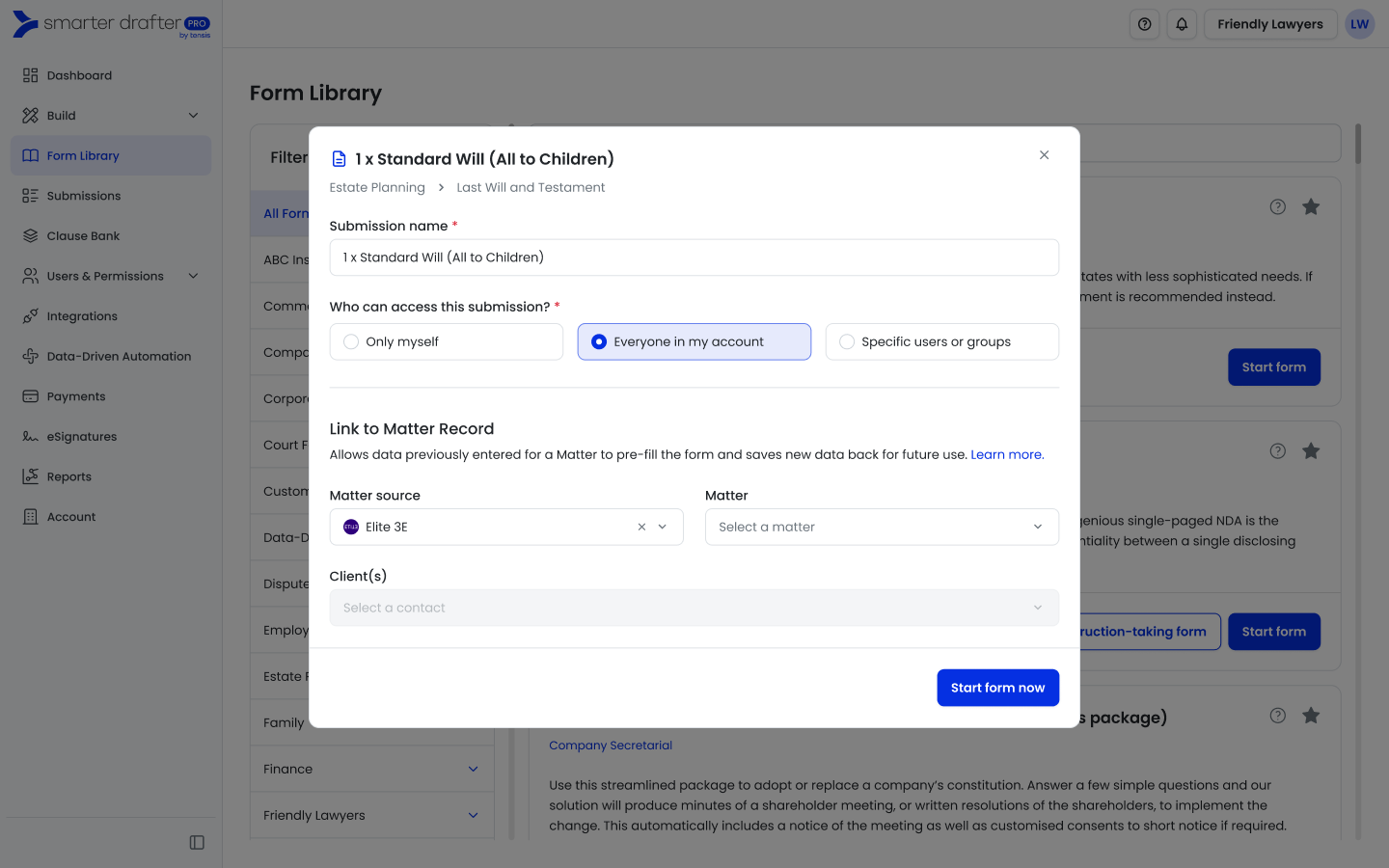
End user view when starting a form.
Tip: Permissions can be set at the custom data source level to manage access to a data source for form fillers. Learn more here
What Happens Next?
Once you have created the Custom Data Source here, it serves as the "container" for your data connection.
-
For Developers: Your technical team or developers will use the API Identifier you just created to configure the actual data flow via our API. Direct them to the Developer Portal for technical documentation.
- For Form Fillers: When a user starts a new form, they will see the new Data Source (with its logo) as an option when choosing a matter source.