
Take your productivity a step further by launching Smarter Drafter right from your Clio matter. Our Clio Manage integration places document automation right where you work, allowing you to transition from matter management to document drafting in a single click.
Once your Clio integration is enabled, you will automatically see a new "Draft Document" option within the Actions dropdown on your Matters table and under the More actions menu within any specific Matter view.
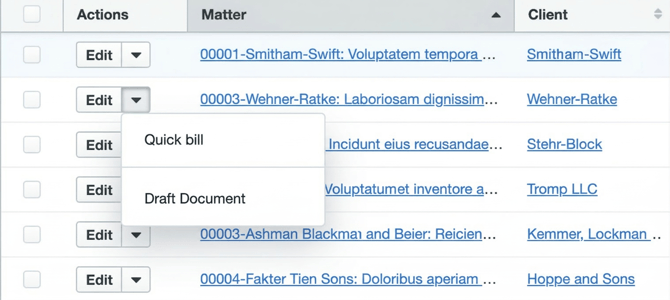
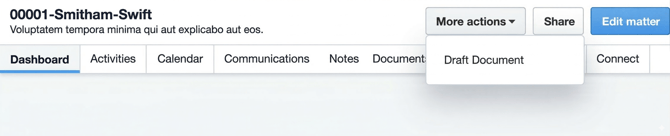
Clicking this option opens Smarter Drafter in a new tab and carries the Matter ID with it. By launching directly from the matter, Smarter Drafter automatically identifies which matter you are working on, saving you the time of searching the matter when you reach the Form Library.
Note: if you leave the Form Library and access another page in Smarter Drafter, the matter ID context from Clio will no longer exist.
To set this up, all you need to do is enable Clio in Smarter Drafter (see help article). Once Clio is enabled for all staff, the next time they authenticate to Smarter Drafter (by importing a Clio matter) they will enable the required permission for Clio which will then allow the 'Draft Document' custom action to appear in Clio.