
Streamline your document production by connecting Smarter Drafter with your Clio Manage account. Our native integration allows you to sync your practice management data directly with your automated forms, saving time and reducing the risk of manual transcription errors.
Once enabled, you can seamlessly select your Clio Matters during the form submission process and automatically pull in Clio Contacts to populate your documents. This ensures that every draft is linked to the correct file and utilizes the most current contact details stored in your PMS.
Setup steps
1. Navigate to Integrations and search for Clio
2. Click on Manage and and Enable
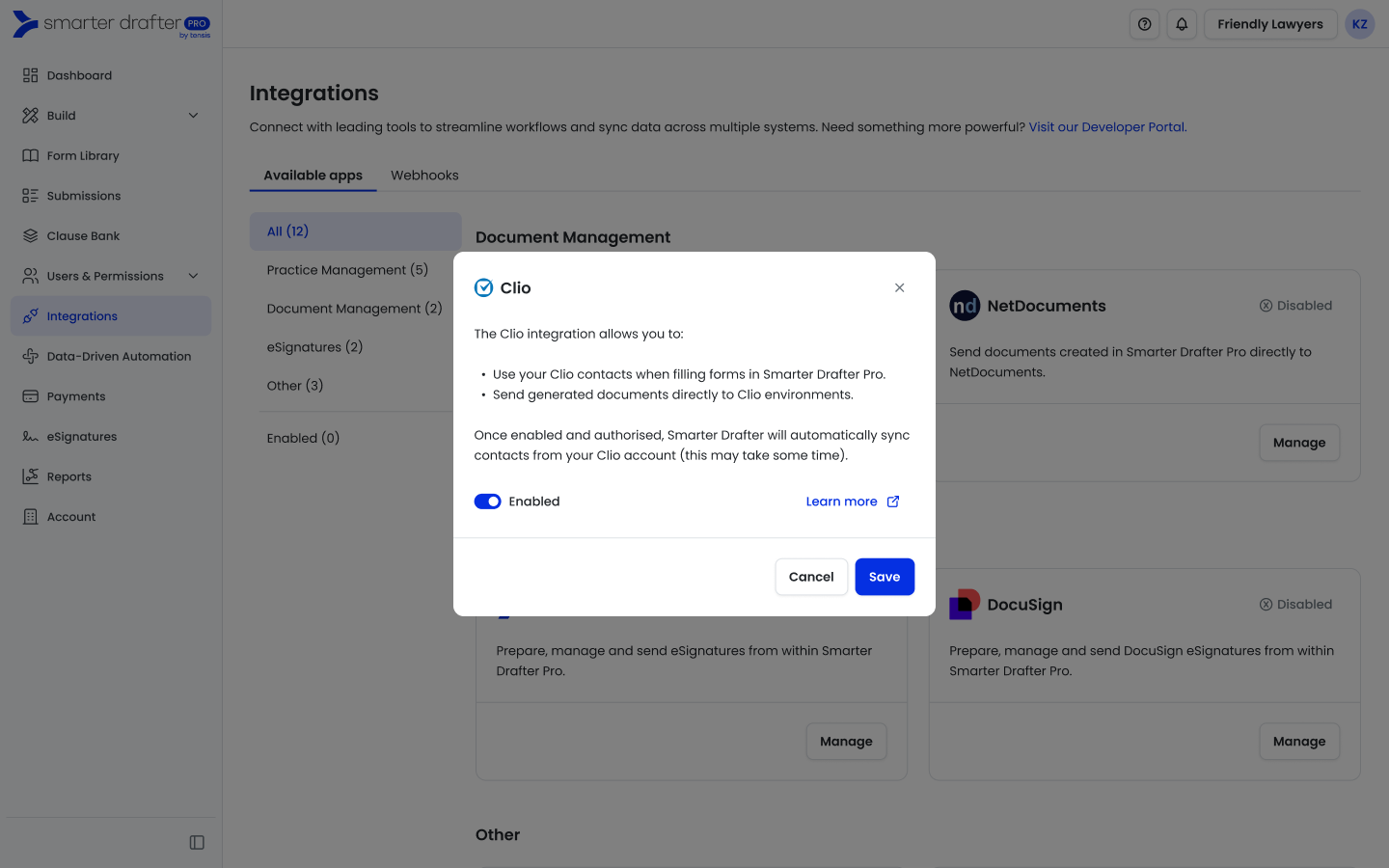
3. Click on Save and Authenticate to Clio
Common Issues & Solutions
Issue: Unable to see Integrations option on the left hand menu
Solution: Ensure you are part of a permission set that has access to Integrations
Issue: The Clio authentication window doesn’t appear.
Solution: Check your browser’s pop-up blocker settings and ensure pop-ups are allowed for Smarter Drafter.