
Sending intakes allow the selection of existing records in Smarter Drafter to be selected for their name and email address to be auto-populated into the recipient send fields. To achieve this, Administrators need to map the respective field aliases for name and email address so the right data populates.
Map recipient fields
1. Navigate to Assets > Intake Settings > Recipients page
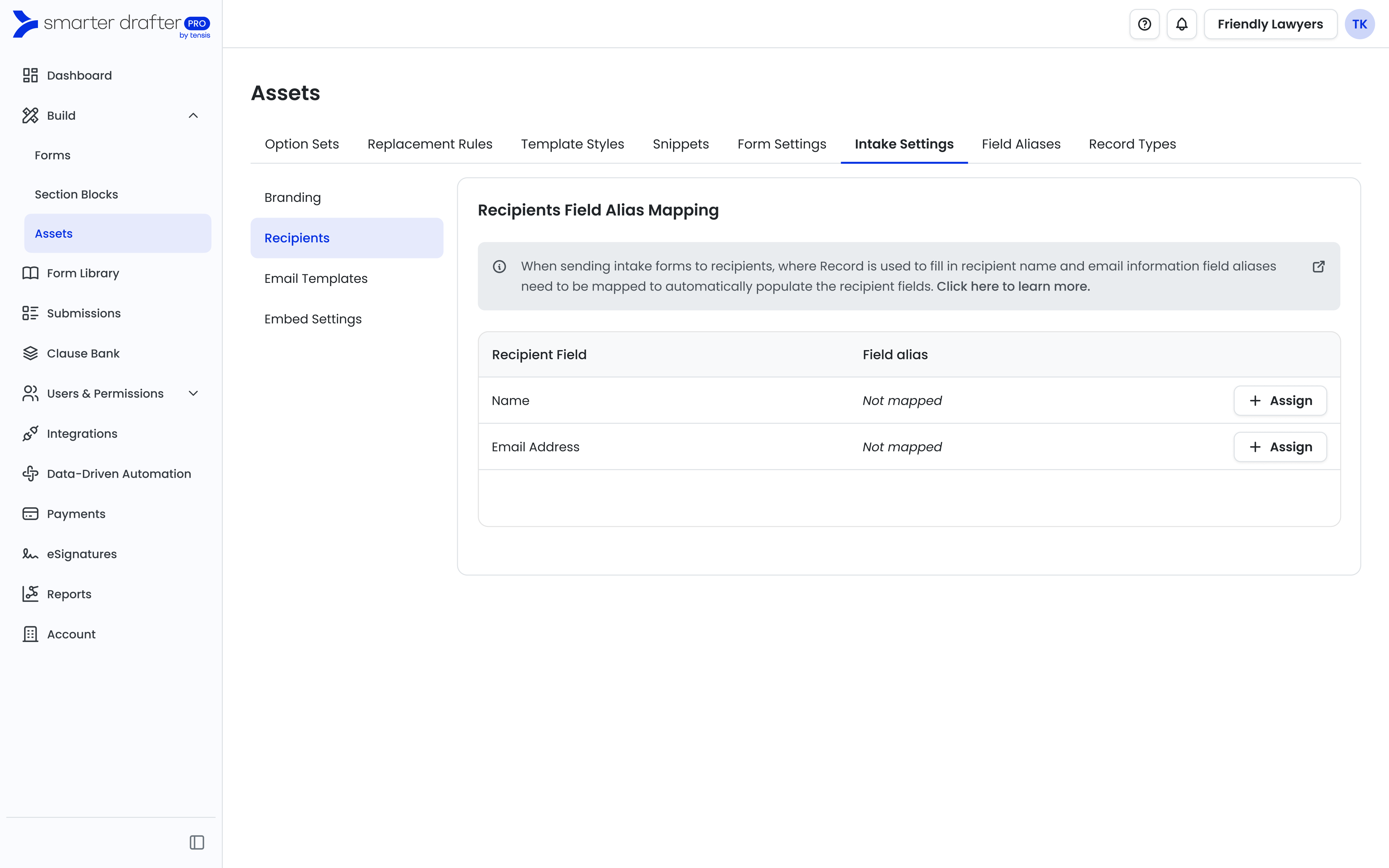
2. Each recipient field will need to be assigned a field alias. Click Assign for the Name field.
Note: there are certain field types that are supported for Name and Email Address. Name field has to be assigned to a field alias that has a field type as Name. Email Address has to be assigned to a field alias that has a field type as either Email Address or Text.
3. From the field alias list, select the respective field alias and click Assign.
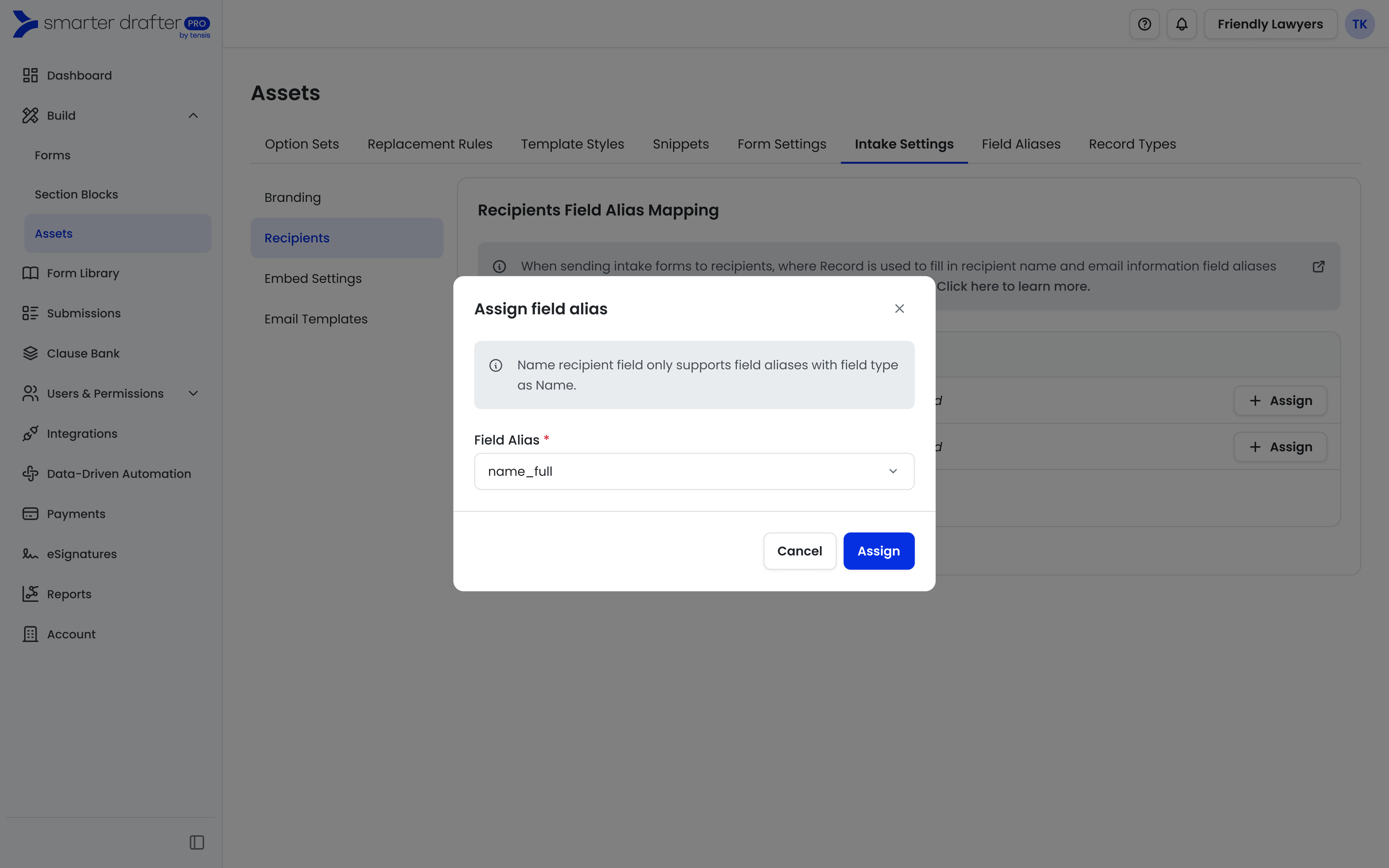
4. Repeat the same for Email Address field.
Update or unassign field aliases mapped
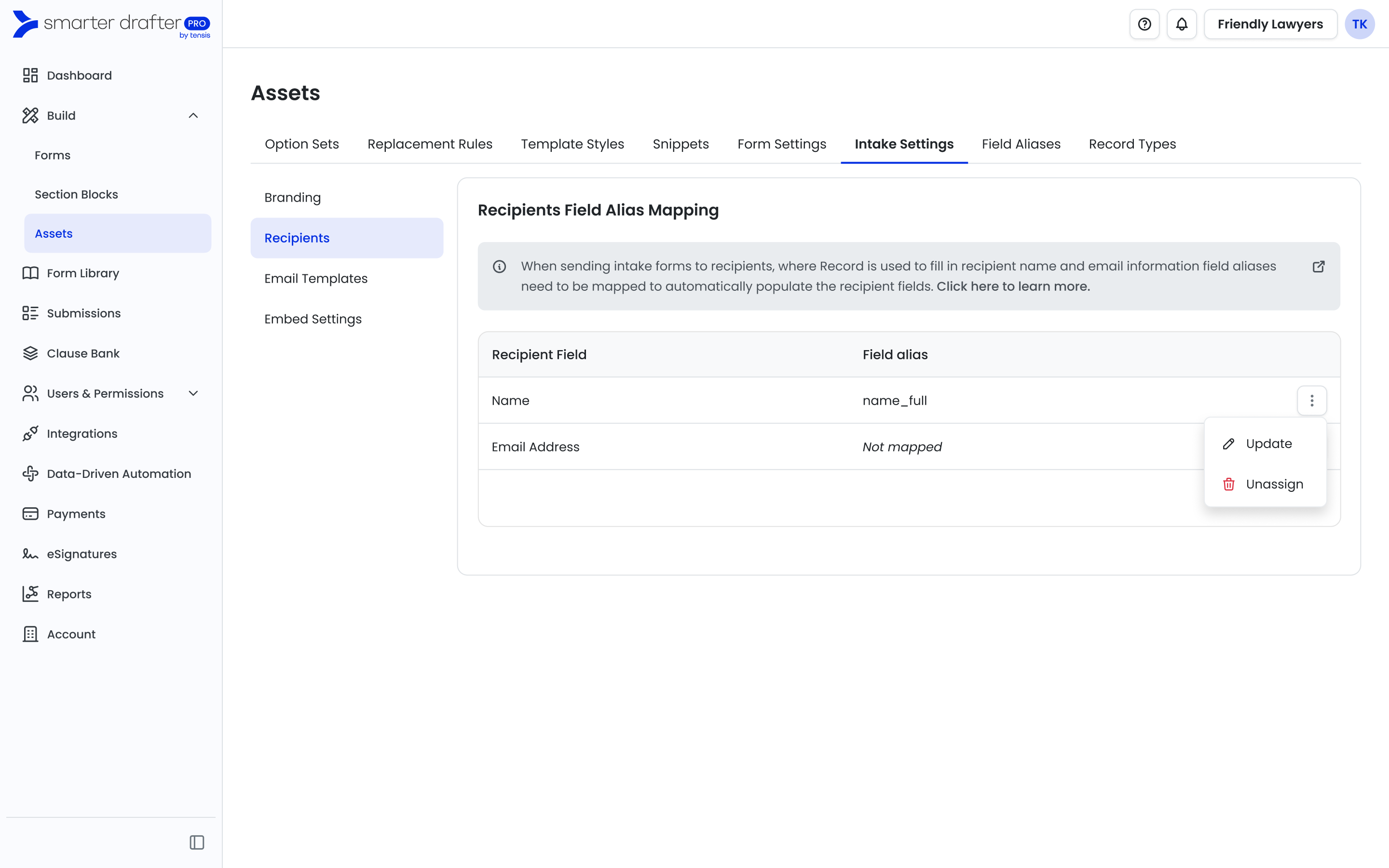
From the Recipients page, click on the ellipses.
Update will allow the field alias to be swapped to another field alias.
Unassign will remove the field alias assigned - any new intake forms will no longer have the field alias associated to its record auto-populate data into the recipient field until another field alias is selected.
Common Issues & Solutions
I can't see Intake Settings page in Assets
Ensure you have the right permission to access the page. Verify the permission sets you belong to have the rights to Assets > Intake Settings.
There are no field aliases available when I try to assignEither no field aliases exist in your account yet, or no supported field aliases exist. Navigate to Assets > Field Aliases to view the field aliases and field types available. Name field requires a field alias that is a Name field type and Email Address requires a field alias that is a Email Address or Text field type.