
Intake forms sent to a recipient are designed to be simple to use and secure so that their data is protected. By completing the sent intake form, senders are notified to review information and generate the final version of required legal documents without the need for manual paperwork.
How to access and submit intake forms as a recipient
1. Recipients will receive an invitation to complete an intake form either via a direct email or a shared link provided by the sender.
2. Click the link to open the intake form in a web browser
3. Verify access with a one-time pin. To keep your data secure, Smarter Drafter Pro uses a One-Time Password (OTP) system. Click Send Code to receive the pin via the email associated to the recipient.
Sent pins have a limited expiry period for security.
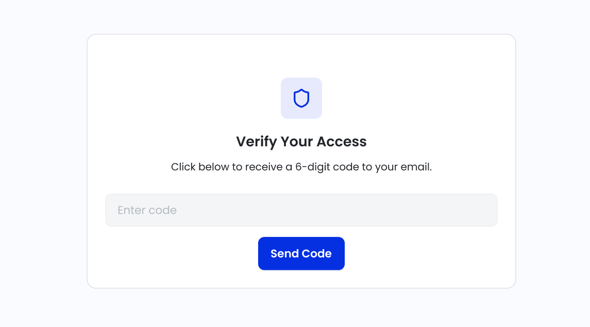
4. Once the pin is entered, the intake form can be accessed. Enter all required information and then click Submit.
5. The sender will be notified via email of the submission.
Common Issues & Solutions
Do recipients need a Smarter Drafter Pro account to access the sent intake form?
No. Recipients can access and complete the intake form via a secure, private link without needing to create an account or log in to Smarter Drafter.
I didn’t receive my OTP code. What should I do?
First, check your "Junk" or "Spam" folder. If it’s not there, ensure you are checking the same email address where the original invitation was sent. You can click "Resend Code" on the login screen if the email doesn't arrive within two minutes.
Can I change my answers after I have clicked Submit?
Once a form is submitted, it is locked for processing by the sender. If you realize you’ve made a mistake after clicking submit, please contact the person who sent you the link directly so they can reopen the form or make the correction for you.
Is recipient entered data secure?
Yes. Smarter Drafter Pro uses industry-standard encryption. The OTP process ensures that only the intended recipient with access to your email account can view or edit the information provided in the form.
Do recipients need to pay for an account to fill this out?
No. Completing an intake form is entirely free for the recipient. You do not need to create a Smarter Drafter Pro account or provide any billing information.